
The intraoral scan, on the CBCT
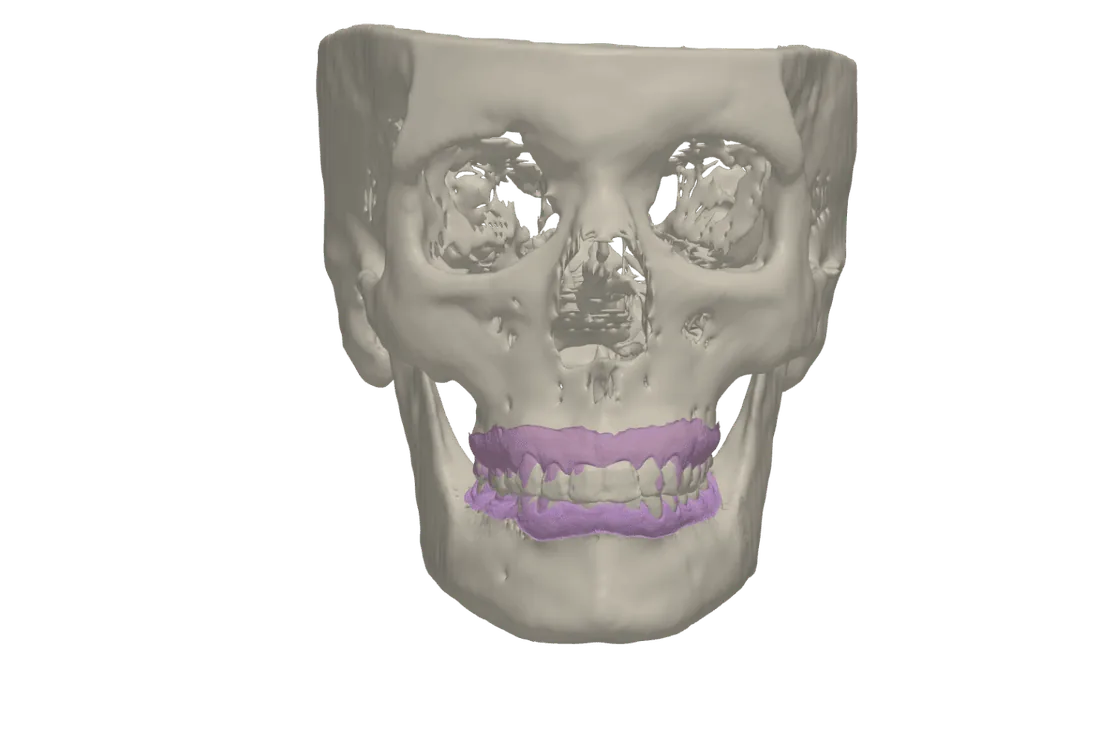
Drag the STL, PLY or OBJ of each arch into tresD DICOM and it places itself on the CBCT teeth: you see the crowns from the scan with the bone and roots from the CBCT, in 3D and as an outline on every slice. Free, in your browser and with nothing uploaded.
Open my CBCT nowFree · nothing to install · your files never leave your computer
How it is aligned
When you import a scan you choose whether it is the upper arch, the lower arch or another model. The viewer orients it and fits it onto the CBCT teeth without you marking anything; the lower arch follows the upper one to keep the occlusion of the scan.
- If the CBCT was taken with the mouth open, the viewer detects it, unticks «Keep the scans in occlusion» and aligns each arch to its own teeth.
- «⌖ Refine alignment» fits the scan onto the CBCT teeth again.
- «⊕ Align by points»: three clicks on the scan (cusps, incisal edges…) and the same three on the CBCT, when the automatic alignment is not enough.
What you see
- The scan in its real colour (PLY with colour) or in the colour you choose, with transparency.
- Its coloured outline on the axial, coronal and sagittal slices, with the «Mesh outlines on the slices» checkbox.
- Together with the segmented bone and skin and, if you wish, the patient’s frontal photo on the skin.
Each mesh can be downloaded as STL in the active skull orientation. The alignment is indicative: always check it on the slices.
How to do it
Open the CBCT
At tresddicom.com/app, with the folder, the DICOM files or the ZIP.
Import the scan
Press «🦷 Import scan (STL / PLY / OBJ)» or drag the file into the window, and choose the arch.
Wait for the alignment
A window shows the progress. When it finishes, the 3D render shows the scan on the teeth.
Check it on the slices
Turn on the outlines and scroll through the slices. If needed, «⌖ Refine alignment» or «⊕ Align by points» on the scan card.
Watch it on video
Common questions
Which scan formats does it open?
STL, PLY (also with colour) and OBJ, from any intraoral or model scanner.
Do I have to place points to align?
No: the scan orients and aligns itself to the CBCT teeth. Point-based alignment is there for when the automatic fit is not good enough.
What if the CBCT was taken with the mouth open?
The viewer detects it and aligns each arch to its own teeth instead of keeping the occlusion of the scan.
Is the alignment exact?
It is indicative. It depends on the quality of the CBCT (metal artefacts, movement) and of the scan: always check it on the slices.
Are the files uploaded to a server?
No. The CBCT and the scans are read and aligned on your computer.
Other features
Try it with your CBCT
Free, no sign-up and nothing to install. Your files never leave your computer.
Open my CBCT now