
From DICOM to STL, in your browser
tresD DICOM segments the bone and the skin of a CBCT in a few seconds and lets you download each mesh as an STL file, in the skull orientation you have set. Nothing to install and the study is never uploaded to a server.
Open my CBCT nowFree · nothing to install · your files never leave your computer
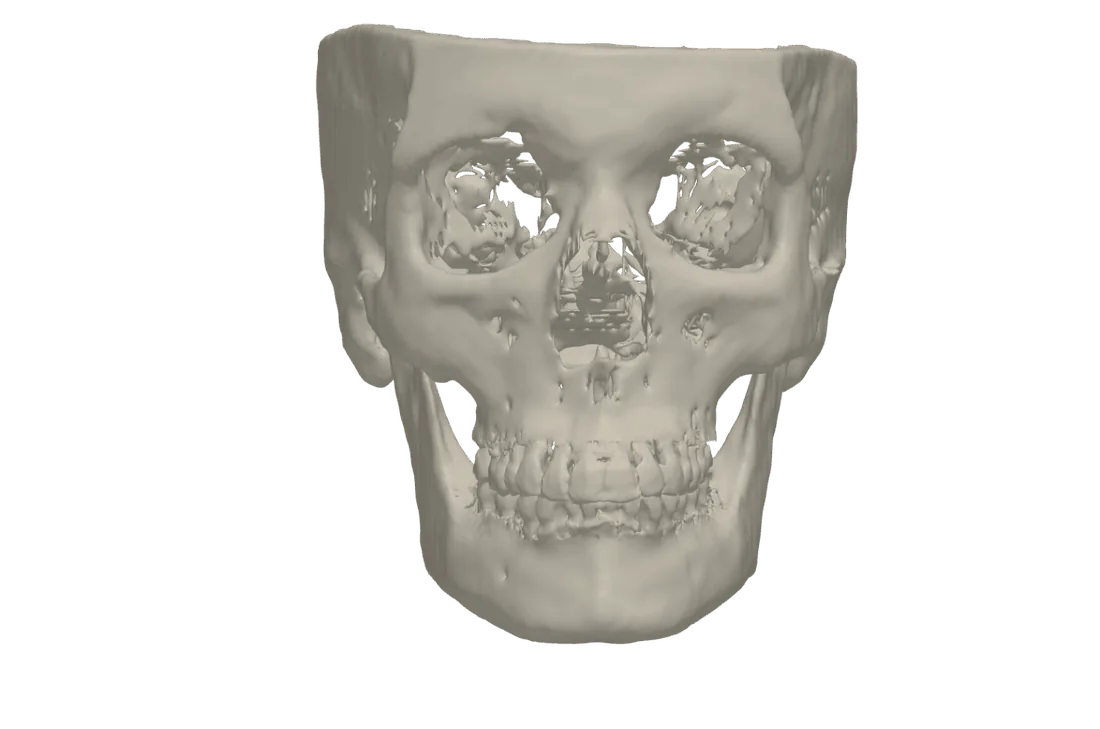
Which meshes you get
- Skull (bone), with the tooth area at fine resolution so the crowns come out well defined.
- Skin: the outer surface of the face, without the sinuses or the airway inside.
- Airway, if you have segmented it.
- The intraoral scans you have imported, in their position on the CBCT.
The thresholds are computed automatically from the histogram of each study (also in hospital CT scans, which have padding outside the field of view). It is a fast threshold segmentation, meant for viewing and teaching: always check the mesh before using it.
How the STL comes out
You get one STL per mesh, only for those you tick. It comes out in the orientation the viewer has at that moment (Frankfurt plane, axis-orbital, natural head position, adjusted by hand or the original CBCT orientation), and that orientation goes in the file name and in its header so you always know which one it is. For another orientation, change it in «⟲ Skull orientation» before exporting.
How to do it
Open the CBCT
At tresddicom.com/app, with the folder, the DICOM files or the ZIP.
Press «⚡ Segment bone and skin»
In the left panel. In a few seconds the skull and the skin appear, each with its card in the right panel.
Choose the orientation
If you want the STL oriented, set the Frankfurt plane or another orientation in «⟲ Skull orientation» first.
Export
The ⭳ button of the right panel (or right-click on the panel): tick the meshes and press «Download».
Watch it on video
Common questions
How long does it take to convert the CBCT to STL?
A few seconds to segment the bone and the skin; the download is immediate.
Can the teeth be exported in detail?
The tooth area is segmented at fine resolution, so the crowns are better defined than the rest of the bone. Quality depends on the CBCT (voxel size, metal artefacts).
In which position does the STL come out?
In the active orientation of the viewer (Frankfurt, axis-orbital, natural head position, by hand or original), which also goes in the file name.
Is it an exact segmentation?
It is a fast threshold segmentation for visualisation and teaching: the result is indicative and should be checked.
Is the CBCT uploaded to the internet to convert it?
No. The segmentation and the STL are made on your computer.
Other features
Try it with your CBCT
Free, no sign-up and nothing to install. Your files never leave your computer.
Open my CBCT now