
Airway in the CBCT: volume and minimum area
With two clicks on the sagittal slice, tresD DICOM segments the pharyngeal airway of the CBCT and gives you its volume, the area of the narrowest section and a heat map of the whole air column. All in your browser, free and without uploading the study.
Open my CBCT nowFree · nothing to install · your files never leave your computer
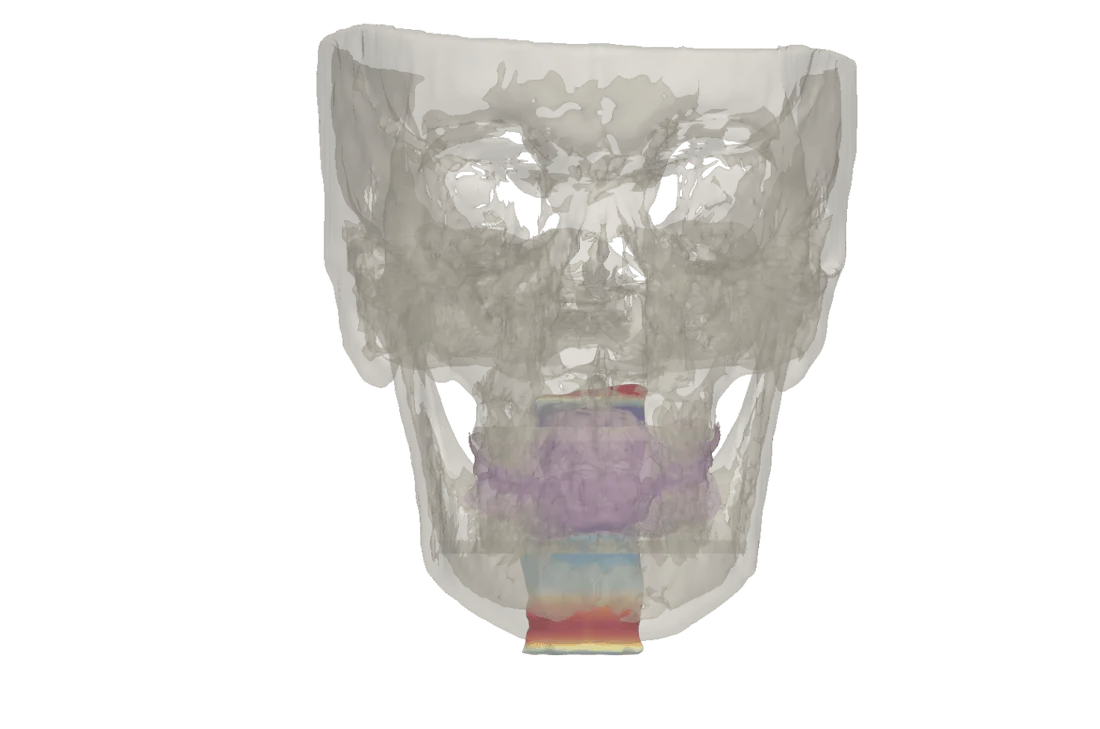
What you get
- The air column in 3D, coloured with a heat map of the area of each section: blue where it is wide and red where it narrows.
- Pharyngeal volume (oropharynx and hypopharynx), minimum area (the narrowest section) and height.
- Airway profile: the area of each section along the height, with the narrowest marked in red.
- Comparison with the norm of Guijarro-Martínez and Swennen (2013) for adults aged 23 to 35, by sex: green, orange or red depending on how far it deviates. If the patient is younger, the viewer warns that this norm does not apply.
The values, the lateral view, the heat map and the profile go on their own page of the PDF report. The airway mesh can be downloaded as STL. Measurements are indicative: they depend on the voxel size, the tongue position and swallowing at the time of the scan, and on the limits you mark.
Before and after
If you superimpose two CBCTs of the same patient, you can also mark the airway of the second study and compare them: a table with the volume, minimum area and height of both, and a colour map showing where it widens and where it narrows.
How to do it
Open the CBCT
At tresddicom.com/app, with the CBCT folder, its DICOM files or the ZIP. The field of view must reach from the palate to the epiglottis.
Press «💨 Segment airway»
In the left panel. The viewer switches to the sagittal slice and asks for the two limits.
Mark the upper limit
One click on the palate, at the level of PNS. Use the wheel to change slice if you cannot see it well.
Mark the lower limit
One click on the base of the epiglottis. In a few seconds the air column appears with its heat map and the card with the values.
Enter sex and age if missing
If the DICOM does not include them, «✎ Enter the patient’s sex and age» recomputes the table with the right norm.
Watch it on video
Common questions
Which part of the airway does it measure?
The pharyngeal airway (oropharynx and hypopharynx) between the two limits you mark: the palate at the level of PNS and the base of the epiglottis.
Which norm is it compared with?
With Guijarro-Martínez and Swennen (Int J Oral Maxillofac Surg, 2013), for adults aged 23 to 35, by sex. For younger patients the viewer warns that this norm does not apply.
Are the measurements exact?
They are indicative. Volume and minimum area change with the tongue position, swallowing and breathing at the time of the scan, and with where the limits are marked.
Can I compare the airway before and after?
Yes: with the superimposition of two CBCTs of the same patient you mark the airway of the second study and get the comparison with a difference map.
Is the CBCT uploaded to the internet?
No. The segmentation runs on your computer.
Other features
Try it with your CBCT
Free, no sign-up and nothing to install. Your files never leave your computer.
Open my CBCT now